
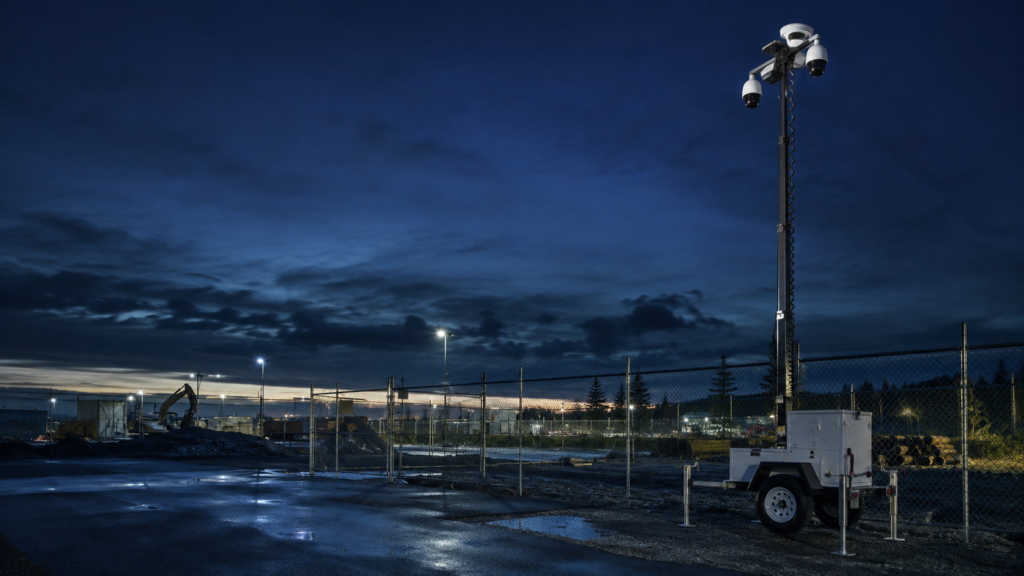
Mobile cameras can be useful when a commercial property needs visibility beyond an existing fixed system, when a construction phase keeps changing, or when an area does not justify a continuous physical post. But a camera trailer or remote feed is not a complete security plan by itself.
The buyer still needs to define the area to be observed, the conditions that matter, the people who will receive information, and the actions those people are authorized to take. Without that operating scope, even a technically capable system can create blind spots, unclear alerts, and reports that do not answer the property team’s questions.
Before deployment, work through the following decisions with the property owner, manager, contractor, security provider, and any technology provider involved.
1. Define the Security Assignment
Start with the business problem instead of the equipment.
Is the goal to improve visibility at a construction entrance, equipment area, parking lot, vacant building, remote portion of a property, temporary access point, or another specific zone? Is the need tied to certain hours, a construction phase, a known pattern, or a short-term operating change?
Write the assignment in plain language. For example:
- observe vehicle activity at one construction entrance outside working hours;
- add temporary visibility to a parking area while lighting or access work is underway;
- support an existing officer or patrol route with a view of a hard-to-observe zone; or
- document activity at a temporary equipment or material area.
The assignment should be narrow enough to measure. “Watch the whole property” is not a useful scope unless the property has been mapped and the required camera views, hours, exceptions, and response responsibilities are actually defined.
2. Confirm the Coverage Area and Image Purpose
Camera placement should follow the required use. A broad overview may help with situational awareness, while identification, vehicle activity, access verification, or incident review can require different viewpoints and image detail.
The property team should confirm:
- the exact area each camera is expected to cover;
- lighting conditions throughout the required hours;
- likely obstructions, changing site conditions, weather exposure, and vehicle movement;
- whether the view needs context, identification detail, or both;
- which areas must not be recorded; and
- how frequently placement should be reviewed as operations change.
Federal video-surveillance guidance emphasizes matching equipment and placement to the intended assignment, maintaining adequate coverage and lighting, and documenting procedures for what personnel should do when an incident occurs. Those principles still apply when the equipment is mobile.
3. Separate Recording From Active Monitoring
Recorded video, live viewing, event-based review, and active monitoring are different services. The agreement should state which one applies.
Ask:
- Is video being recorded continuously, on an event, or under another defined rule?
- Is anyone expected to review a live feed?
- During which hours does that expectation apply?
- What creates a review or alert?
- Who receives the information?
- What happens if the feed, power, connectivity, or equipment is unavailable?
Do not let the word “monitored” carry all of those assumptions. The scope should name the actual service and its limits.
4. Define Escalation and Human Response
A useful remote-video plan connects an observation to an authorized person and a documented next step.
The property team should decide what belongs in a routine report, what requires prompt notice, and what should be handled under an emergency procedure. It should also identify the primary and backup contacts, after-hours authority, tenant or contractor responsibilities, and any limits on what security personnel or a technology provider may do.
If a mobile patrol or on-site officer supports the plan, define when that person is asked to check the site, what information is shared, which areas may be entered, and how the result is documented. Do not promise a response time or enforcement action that has not been specifically contracted and operationally confirmed.
5. Verify Power, Connectivity, and Service Status
Mobile equipment still depends on supporting services. The team should understand the intended power source, connectivity, operating limits, maintenance responsibility, status notifications, and recovery process.
NIST guidance on operational-technology security notes that organizations should consider whether the communications and power supporting physical security devices need added redundancy, isolation, protection, or monitoring. A commercial buyer does not need to become a system engineer, but the buyer should know what status information will be available and who acts when the system is unavailable.
Include service interruptions in the operating plan. An unavailable camera should create a known decision, not a hidden gap.
6. Set Privacy, Audio, Retention, and Access Rules
Before recording begins, the property team should confirm where the cameras may point, what notifications or signage are appropriate, who may access recordings, how access is logged, how long records are retained, and how recordings are exported or preserved when a legitimate incident request occurs.
Audio requires separate attention. Washington’s Privacy Act generally requires consent from all participants before recording a private conversation unless a statutory exception applies. If equipment is capable of capturing audio, obtain appropriate legal, lease, labor, and policy review before enabling or relying on that function. This article is operational planning guidance, not legal advice.
Avoid views into places where people reasonably expect privacy. Limit access to people with a legitimate business need, and do not retain or share footage merely because the technology makes it possible.
7. Decide What the Property Team Will Receive
The buyer should know what evidence will be available after deployment.
Depending on the actual service, that may include:
- a documented coverage map;
- equipment or service-status records;
- defined alert or observation records;
- related patrol or officer activity;
- incident reports;
- notification timestamps;
- follow-up ownership; and
- an agreed periodic review.
The records should answer the question the deployment was meant to solve. Raw alerts or hours of footage are not automatically useful information.
8. Review One Site Before Expanding
Begin with one location where the need, operating window, camera views, monitoring expectation, response ownership, and review standard can be clearly defined.
After the first review period, ask:
- Did the coverage match the intended area?
- Were status issues visible?
- Were alerts and notifications understandable?
- Did patrol, officer, property, and technology responsibilities remain clear?
- Did the records help the property team make decisions?
- What should change before the model expands?
Chandler Solutions can provide remote video monitoring and mobile camera trailers as part of a broader commercial security plan across Western Washington. We can also coordinate the work with on-site officers, mobile patrol, construction-site coverage, concierge security, GPS-verified activity, and digital reporting when those services fit the assignment.
Give us one property, one project phase, or one hard-to-observe area. We will help define the scope, the evidence, and the review point—then earn the opportunity to do more.